Diagrams that keep up with the thinking.
Flowcharts, org charts, mind maps and timelines — plus whiteboards for the messy part — in one document, in the browser.
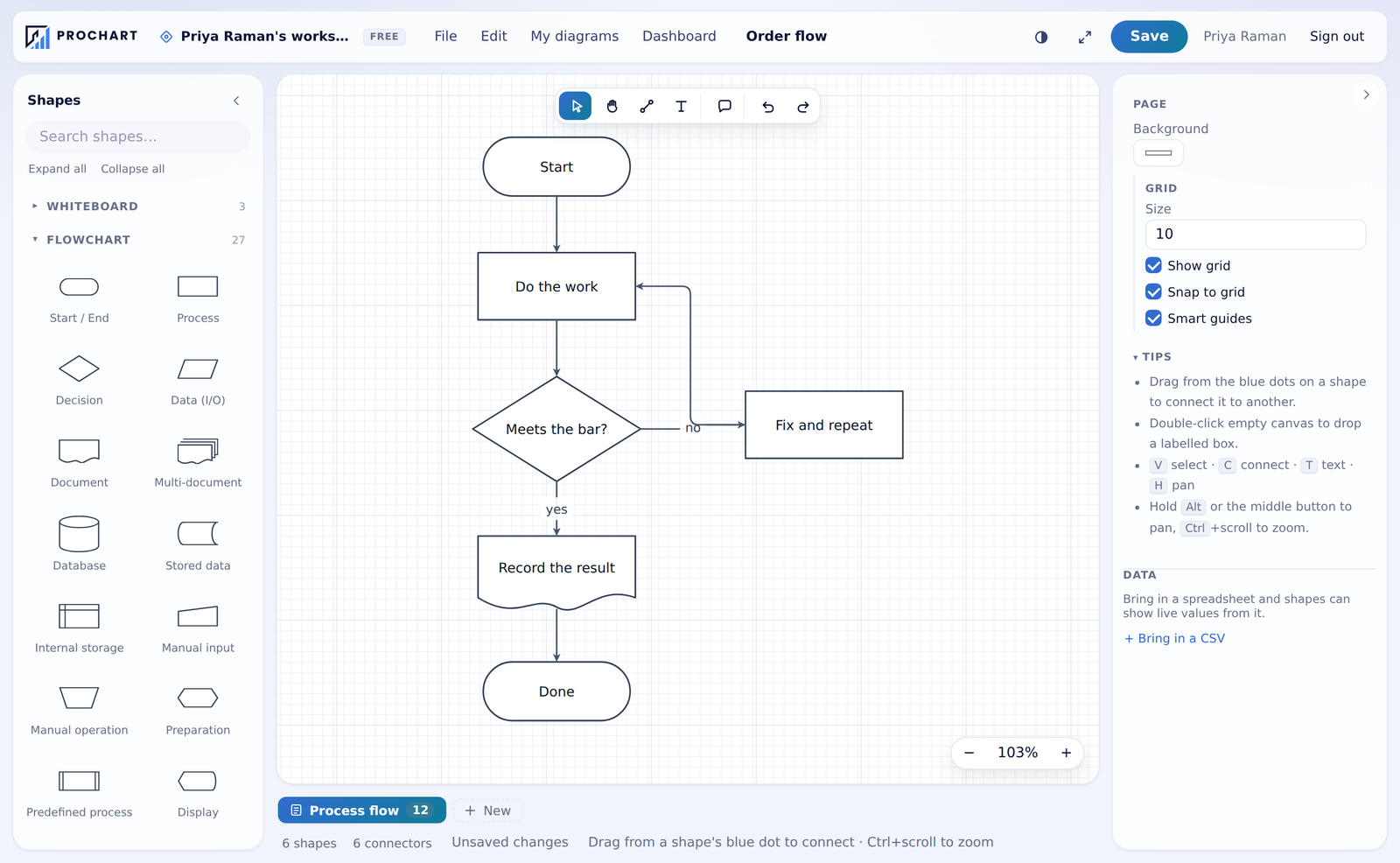
Six kinds of page, one file
Every picture below is the running product, not a mock-up.
A precision editor, not a drawing app
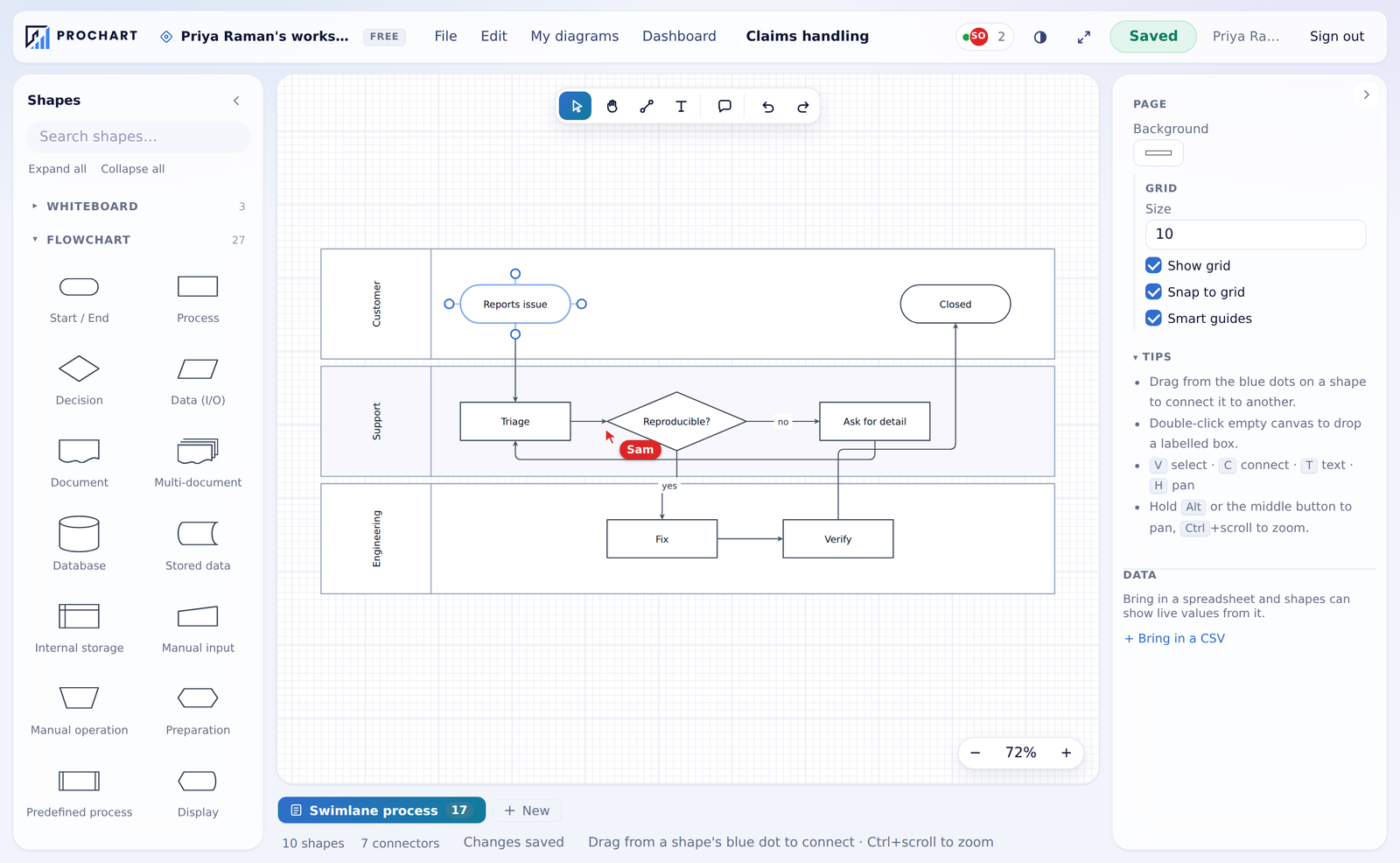
287 stencils across flowchart, network, cloud, code, business, marketing and social libraries — plus a symbol library of ten thousand icons.
- Drag from a shape's dot to connect — no tool to pick first
- Connectors re-route themselves when you move things
- SVG and PDF as true vectors, PNG up to 4×
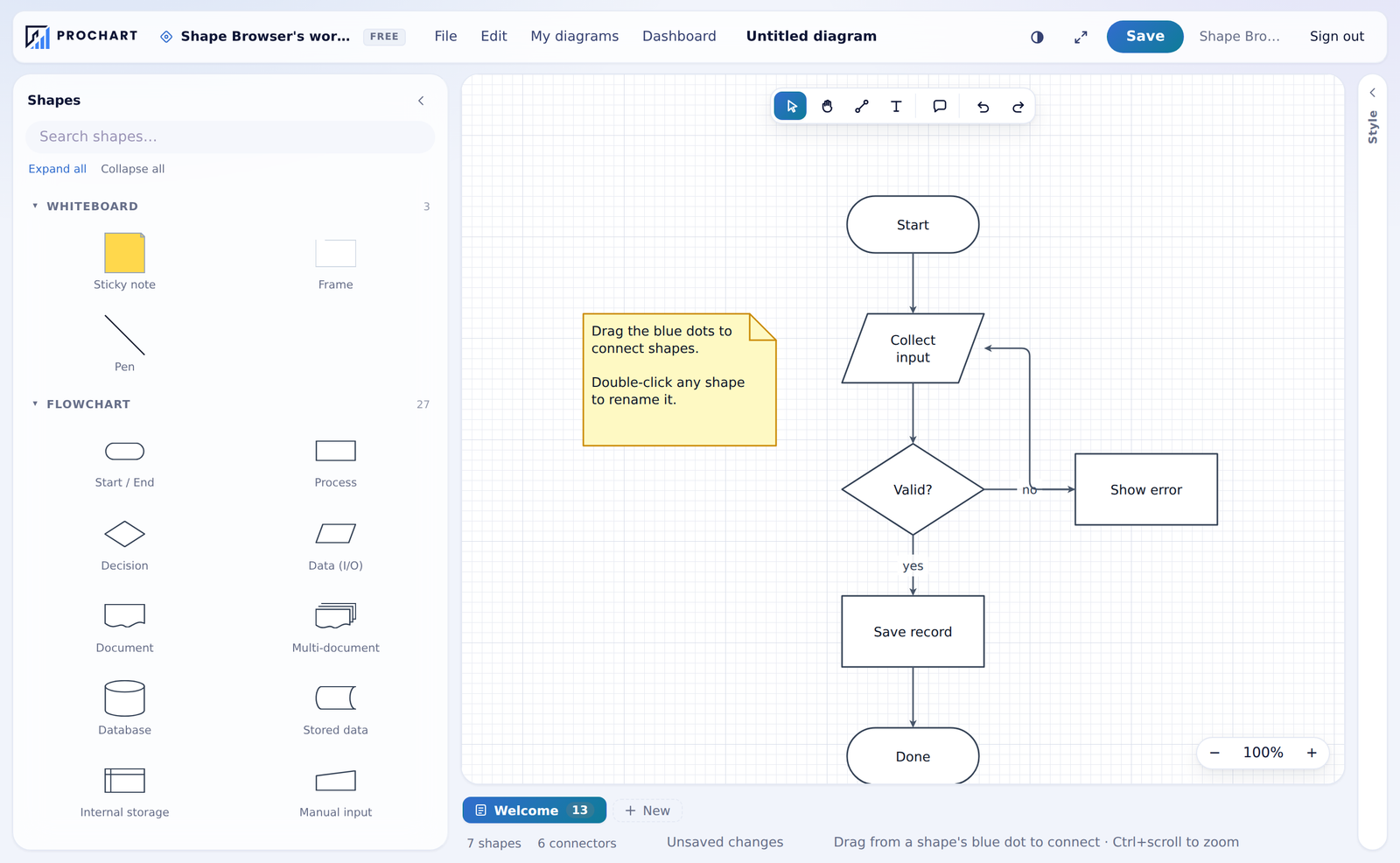
Whiteboards, for before it is a diagram
Sticky notes, freehand ink and frames on the same page kind — then turn the result into a real chart.
- Pen, highlighter and eraser with the tools on the canvas
- Group notes that share words, without leaving your device
- Frames to present from, one screen at a time
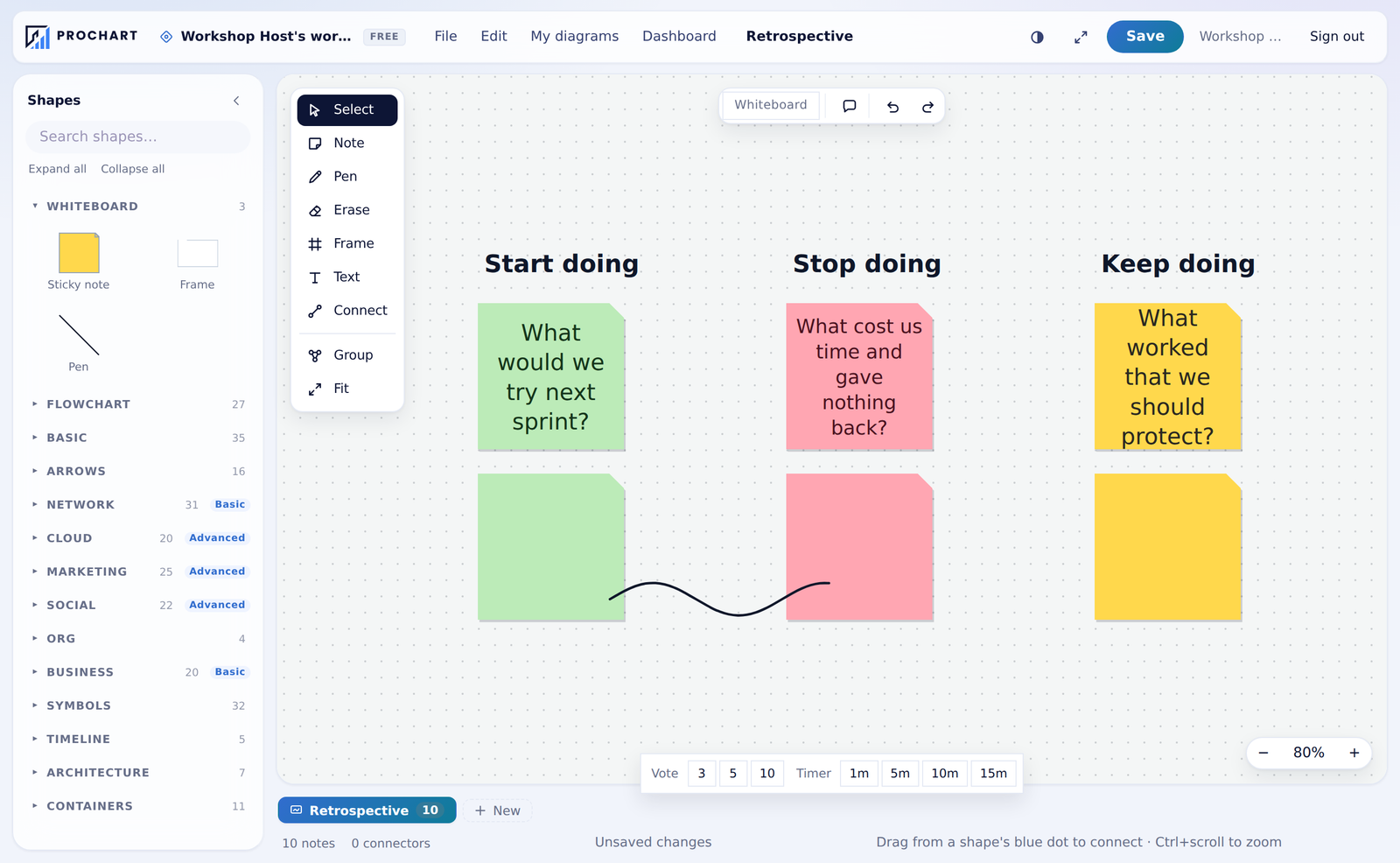
Hierarchies that lay themselves out
People, teams, assets or anything else that reports to something else. Paste a list and it draws.
- Vertical or horizontal, tidied on demand
- Collapse a branch you are not talking about
- Mind maps and timelines work the same way
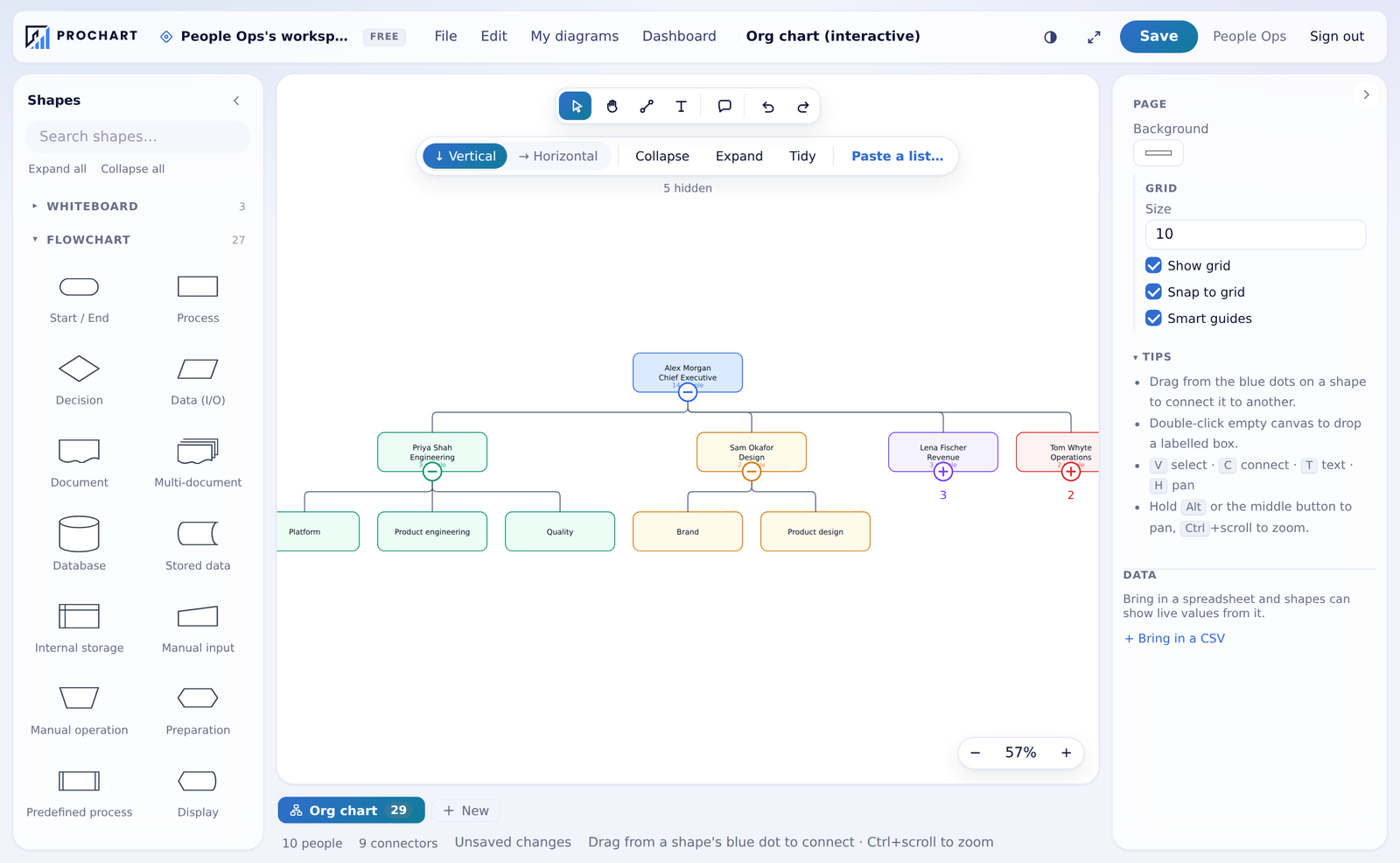
The same document, at the same time
Cursors, selections and comments from everyone in the room — on every paid plan.
- See who is here and which page they are on
- Comment threads pinned to a shape, resolved when done
- Share a read-only link, or embed it in a page
And the rest of it
The parts that do not need a picture.
Multi-page documents
Six page kinds in one file, each with its own grid, background and size.
Data-linked shapes
Bind labels to a CSV with {{Column}}. Change the data, the diagram follows.
Import and export
In from Mermaid and draw.io. Out as SVG, PDF, PNG, Mermaid or JSON.
Works offline
Edits queue on your device and sync later, with conflicts shown rather than guessed.
Version history
Every save is restorable, and restoring is itself reversible.
Workspaces and roles
Members from administrator to viewer, per-project guests, an audit trail.
32 templates
Flowcharts, org charts, retrospectives, affinity maps, prioritisation grids.
No lock-in
Download any diagram as plain JSON, on every plan, at any time.
Live public links
A published link can serve each dataset's most recent reading, with the as-of time shown on the page.
Connected sources
Jira, GitHub, ClickUp, Asana and Slack as live tables — read on a schedule you set, nudged by webhooks the moment something changes.
A command palette
Ctrl+K finds every command, shape and page. Typing narrows, Enter runs the first match.
Arabic, properly
The whole interface in Arabic with right-to-left layout — and the drawing itself stays a drawing.
Pricing
Start free. Move up when a limit gets in your way, not before.
Loading plans…
Questions
Do I need to install anything?
No. ProChart runs in the browser on Windows, macOS and Linux. A free account is required, because diagrams are saved to your workspace and available from any device.
Which formats can I import and export?
In: Mermaid and draw.io. Out: SVG and PDF as true vectors, PNG up to 4×, Mermaid, and ProChart's own JSON, which can always be re-opened. There is no watermark on any plan.
Who can see my diagrams?
The people you share them with, at the role you give them. As with most hosted tools, content is stored on ProChart's servers in a form the service can read — we state that plainly rather than imply otherwise.
What happens if I stop paying?
Nothing is deleted. The workspace moves to the free plan, existing work stays readable and editable, and only creating beyond the new limits is blocked.
Is my account protected?
Sign-in supports authenticator-app codes, repeated wrong codes lock the attempt, and every save keeps a version you can restore.
Does ProChart work in Arabic?
Yes — the complete interface ships in Arabic with right-to-left layout, and you can switch language at any time.
Open it and draw something
The free plan is not a trial. It does not expire.